



Why Traditional Content Calendars Fail Founders
The classic LinkedIn content calendar is a grid. Monday, Wednesday, Friday. You fill in what you plan to post. You feel organised. Then a client crisis hits on Wednesday morning. You skip that post. The following week you skip two. Within a month, the calendar is a ghost. The blank slots feel accusatory every time you open it.
Traditional content calendars fail for a simple reason: they are pull systems. They require you to actively feed them. The moment you stop adding content, they stop working. For founders who already have more demands on their attention than hours in the day, a system that requires daily maintenance is a system that will eventually be abandoned.
A content calendar that runs on autopilot is a different kind of system. It is a push system. It draws from a library of content you built once, rotates through it intelligently, and keeps posting even during the weeks you cannot touch it. Here is how to build one.
Step 1: Define Your Content Pillars
Before you create a single post, decide what you are going to post about. Content pillars are the three to five recurring themes that define your LinkedIn presence. For a B2B SaaS founder, these might be founder lessons, industry insights, product and customer stories, practical tips for your target audience, and behind-the-scenes of building the company. For a consultant, the pillars might be client case studies, frameworks and methodology, industry observations, and career advice for your niche.
Your pillars should reflect what your target audience cares about and what you genuinely know well. The intersection of those two things is where your most valuable content lives. Limit yourself to five pillars maximum. Trying to cover too many topics dilutes your positioning. The founders who build the strongest LinkedIn brands are recognizable because they are consistently associated with a clear set of themes.
Step 2: Build Your Content Library
The content library is the engine of your autopilot calendar. It is a collection of evergreen posts organized by pillar that you build once and draw from continuously. The target is 30 to 50 posts spread across your pillars. That sounds like a lot until you realize that this library, once built, can sustain your LinkedIn presence for months without requiring you to create anything new.
Here is the fastest way to build your library. Start by looking at your existing content. Go through your last 50 LinkedIn posts and identify the ones that got strong engagement or that you are genuinely proud of. These become the foundation of your library. Next, look at your non-LinkedIn content. Your email newsletters, blog posts, internal memos, sales call explanations, and presentation scripts are all raw material. Extract the best insights and reformat them as standalone LinkedIn posts. Finally, write new posts in batching sessions. Block 90 minutes, make a coffee, and write six to eight posts in a single focused session. Write more than you need for the week so the library grows over time.
Step 3: Assign Posts to Pillars and Set a Rotation Schedule
Once your library is built, assign each post to a pillar. Then set a posting schedule for each pillar. For example: Monday publishes from the Founder Lessons pillar. Wednesday publishes from Practical Tips. Friday publishes from Industry Insights. The schedule rotates through each pillar automatically, always selecting the post from that pillar that has been sitting in the library the longest without being published.
This is the least-recently-used principle. It ensures that your content feed stays varied, that no single post gets overused, and that your oldest library posts get recycled before your newest ones. You are not publishing the same thing twice in a row. You are publishing your best thinking in a structured rotation that feels fresh to your audience.
Step 4: Use AI to Keep Recycled Posts Fresh
The objection most founders have to recycling content is that it will look repetitive. This is where AI makes the difference. Before a recycled post publishes, an AI rewriter can generate a variation that preserves the core message and your authentic voice but changes the hook, restructures the opening paragraph, or updates the examples. The insight stays the same. The packaging feels new.
This is different from using AI to generate content from scratch. You are not asking AI to think for you. You are asking it to help you present your existing thinking in a slightly different way so that readers who saw the original post experience something fresh, and new followers who never saw it see it for the first time without any sense that it was recycled.
Step 5: Set a Weekly Review Ritual
An autopilot calendar does not mean zero involvement. It means minimal involvement. The ideal weekly ritual takes 15 minutes. You open your scheduling tool, review the posts queued for the coming week, make any small edits that feel necessary, and approve them. You are not writing from scratch. You are reviewing, adjusting tone if needed, and hitting approve. This 15-minute weekly review is the human layer that keeps your automated system sounding human.
If you spot a post that feels off given something happening in the news or in your business, you swap it out. If you want to add something timely, you add it to the queue and let the system handle the scheduling. The library and the rotation handle the base layer of your presence. Your occasional additions and editorial touches keep it current and alive.
The Tools That Make This Work
You can build a basic version of this system using a spreadsheet and a standard scheduler. Create a tab for each pillar, list your posts, and manually select which one to schedule each week. This works but requires more manual effort than it should.
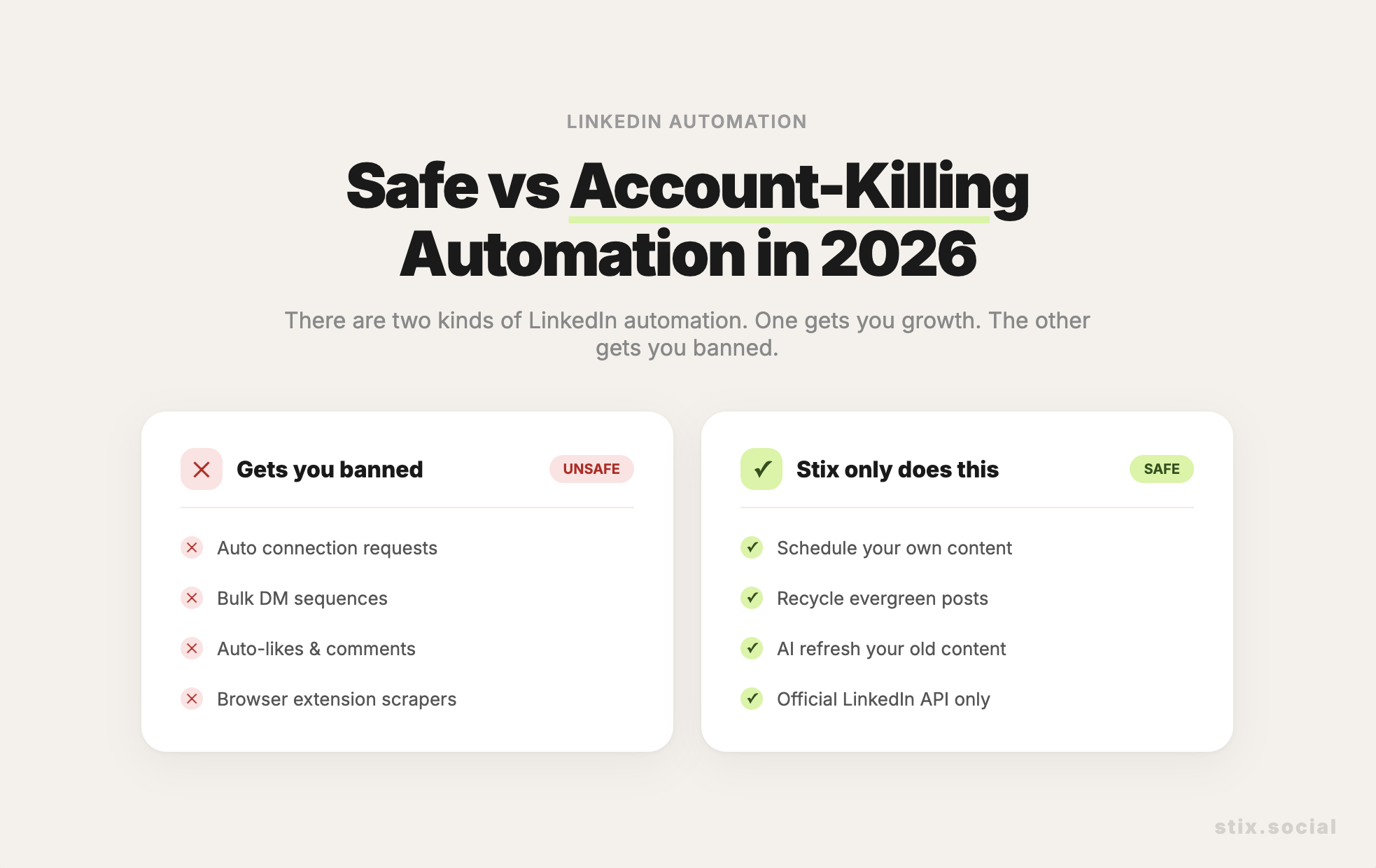
A dedicated tool like Stix automates the rotation layer entirely. You build your content library inside Stix, organize posts into categories that map to your pillars, set a posting schedule per category, and Stix selects and schedules the next post automatically. When you add AI refresh to the workflow, recycled posts get rewritten before they publish so they always feel intentional. The result is a LinkedIn calendar that runs without you needing to open it every week.
What a Working Autopilot Calendar Looks Like
After 30 days of running this system, your LinkedIn feed is active three times per week without you thinking about it. Your library is rotating through your best evergreen posts. New followers are seeing your highest-value content for the first time. Old followers are encountering familiar ideas in new formats. Your posting is consistent enough that the LinkedIn algorithm starts expanding your reach. And during your busiest weeks when you have zero time for social media, your presence stays active because the system is running in the background.
This is what a content calendar that runs on autopilot actually looks like. Not a grid you fill every Sunday night. A library you built once that keeps working for you indefinitely.
Key Takeaways
Traditional content calendars fail because they require constant feeding. Autopilot calendars draw from a pre-built library and keep running even when you are not actively adding content. Start by defining three to five content pillars that reflect what you know and what your audience cares about. Build a library of 30 to 50 evergreen posts organized by pillar. Use a least-recently-used rotation so your feed stays varied and no post gets overused. Add AI refresh so recycled posts feel new. Keep your involvement to a 15-minute weekly review. The right tool automates the rotation so you only need to review and approve, not create from scratch.